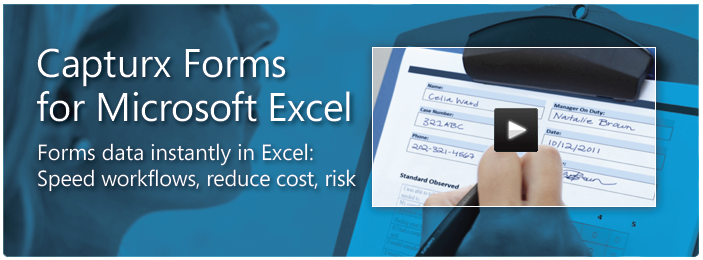

Capturx Forms for Excel
Handwritten Data Automatically integrated from Paper Forms into Excel
Design forms in Excel, print them on ordinary paper, and have the handwritten data automatically digitized and formatted back into the original Excel fields with option to track the actual date, time, and author of each entry – and even the location from where data was sent – to help validate data and meet compliance requirements.
Easily design forms in Excel.
- Capturx provides teams with the power and flexibility to create or use their own existing forms with a familiar software application – Microsoft Office Excel.
- No new tools to buy or scripting languages to learn.
Easily collect data on paper.
- Forms are printed on ordinary paper with a special watermark that enables them to be used with a digital pen.
- Teams can fill out paper forms in any environment without extra equipment or training.
- The pen leaves behind a written paper record while also instantly digitizing the information for use with Excel.
Immediate access to rich data in Excel.
- Capturx automatically uploads the data and inserts it into the correct formatted cells within Excel.
- Teams can view, share, and store the original handwriting or the converted digital text for each form.
- Capturx also provides aggregate data tables which can be used for analysis within Excel or integrated into other databases or backend applications.
Capturx uses advanced character recognition to make the data available for analysis, workflow automation, or use in other applications. With Capturx you get the simplicity of working with pen and paper and all the advantages of immediate access to structured digital data.
For more information see the Capturx Forms for Excel Data Sheet
Capturx Forms for Excel Automates Inspection Paperwork
Teams eliminate data-entry time and costs, complete inspection reports faster, and reduce risks from compliance gaps and poor operational visibility.
- Teams can use existing inspection forms designed in Excel or simply layout new ones using standard Excel formats such as check boxes, word lists, dates, times, currencies, and many others.
- Forms are printed from Excel on plain paper using many common printers.
As inspections are completed, all the data is instantly recorded by the digital pen. Teams can track the actual date, time, and author of each entry – and even the location from where it was sent – to validate data and meet compliance requirements.
- The handwriting for each form can be viewed in Excel or automatically placed into PDF files.
- Capturx also uses advanced character recognition to make the data available for analysis, workflow automation, or use in other applications.
Capturx Forms for Excel Helps Teams Automate Field Service Paperwork
Field Service Teams eliminate data entry time and costs, complete service calls faster, and get paid faster. All the data written on paper service-request forms, work-order forms, and time sheets is instantly recorded by the digital pen. It captures, date, time, structured data and signatures.
- Teams can instantly send the requests and work orders back to main offices for faster servicing, parts ordering, and invoicing.
- Highly mobile field teams get the convenience, reliability and ease of writing on paper without the delay, cost and risks of sending, scanning, transcribing or misplacing paper.