Capturx for ArcGIS
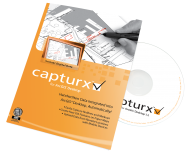
Capturx for ArcGIS automatically integrates handwritten markups on paper maps into ArcGIS, where they are instantly available as redlines or as point, line, and polygon features in the geodatabase. Learn about Capturx for ArcGIS and get support:
• Answers to many questions are found in the Knowledge Base
• Complete documentation is found in the Quick Start & User Guides
• Training is available live or in brief online Video Tutorials
• ESRI offers a range of support and training info, learn more
Capturx for ArcGIS Desktop Lifecycle Fact Sheet
Capturx for ArcGIS Resources
- Why does the digital pen vibrate?
- Why is my digital pen not recognizing the pidget on the Utility card?
- Troubles installing: "insufficient rights", "CAB1 corrupt" or "already running"
- Capturx Pen Manager licensing.
- Why did the installation of Capturx for ArcGIS Desktop fail?
- I get a "Clear ink not processed due to error." What does this mean?
- When I save edits, Capturx for ArcGIS stops the edit sessions.
- Why do I get a SQL error?
- Does Capturx for ArcGIS impose a limitation on MXD names?
- I have downloaded data, but the data is grayed out and I cannot import the session.
Capturx for ArcGIS 1.3 Requirements
• Windows XP SP3, Vista SP2 or Windows 7 (32- and 64-bit); ArcGIS 10
Capturx for ArcGIS 1.2.x Requirements
• Windows XP SP3, Vista SP2 or Windows 7 (32- and 64-bit); ArcGIS 9.3
Capturx for ArcGIS 1.1 Requirements
• Windows XP SP2, Vista SP1 or Windows 7 (32-bit only); ArcGIS 9.2
- Capturx for ArcGIS
- Part 1: Introduction
- Part 2: Adding Extention and Toolbar
- Part 3: Adding Data to the Map
- Part 4: Symbolizing Data
- Part 5: Adding Markup Layer
- Part 6: Markup Layer Overview
- Part 7: Creating Layout and Adding Legend
- Part 8: Printing Layout
- Part 9: Best Practice for Marking up Map
- Part 10: Best Practice for Creating Points
- Part 11: Best Practice for Creating Lines
- Part 12: Best Practice for Creating Polygons
- Part 13: Sending Pen Data to ArcGIS
- Part 14: Importing Data from XID File
- Part 15: Importing Data from Dialog
- Part 16: Importing Data into Map
- Part 17: Reviewing Data Import
- Part 18: If You Forget to Touch Legend
- Part 19: If Lines Aren~~#039;t Showing on Your Map